This product was designed by ANAVI Technology.
By buying this product you support original hardware creators.


Connect Nintendo Wii Nunchuk compatible controllers to a PC via USB/USB-C
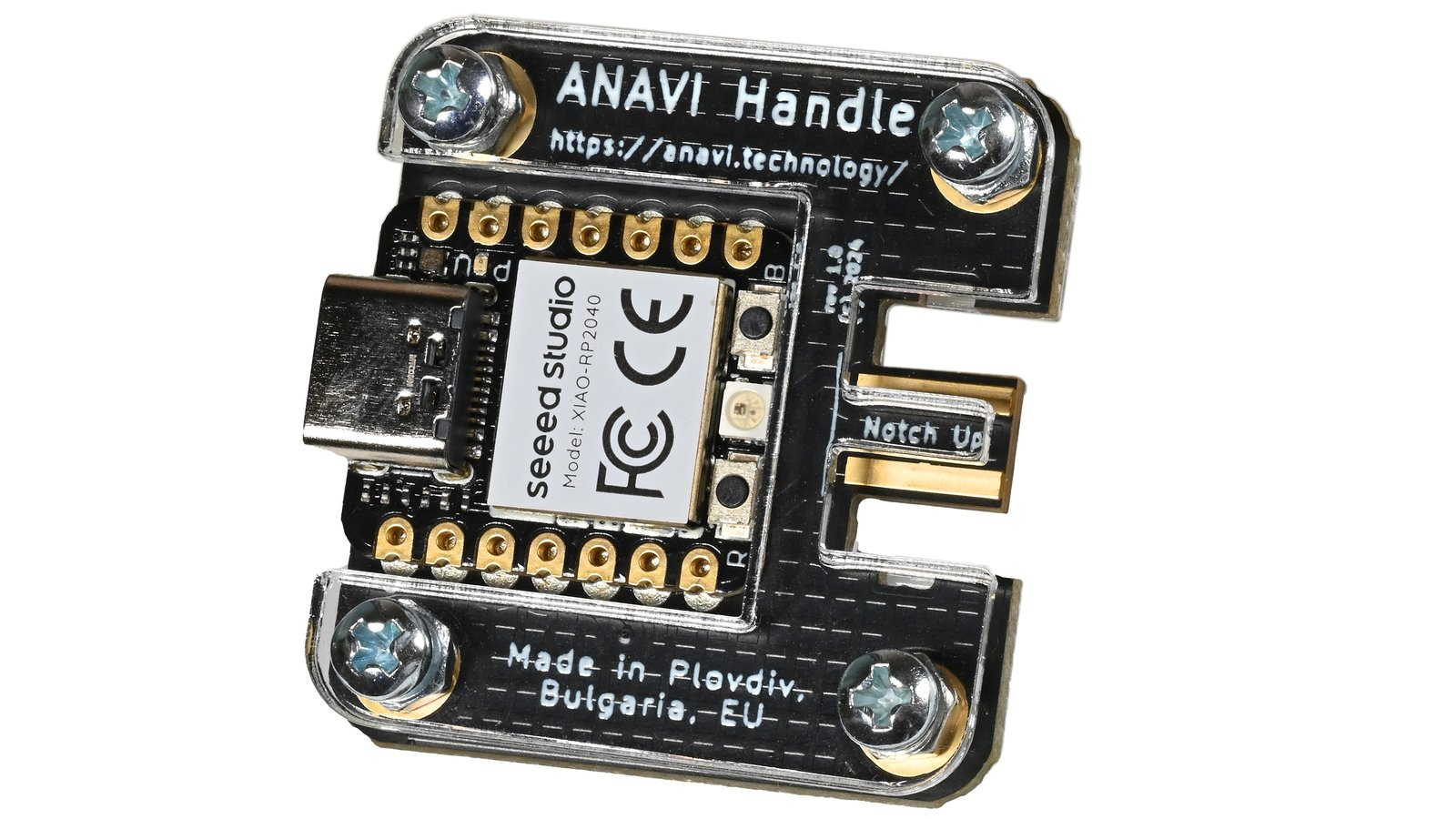
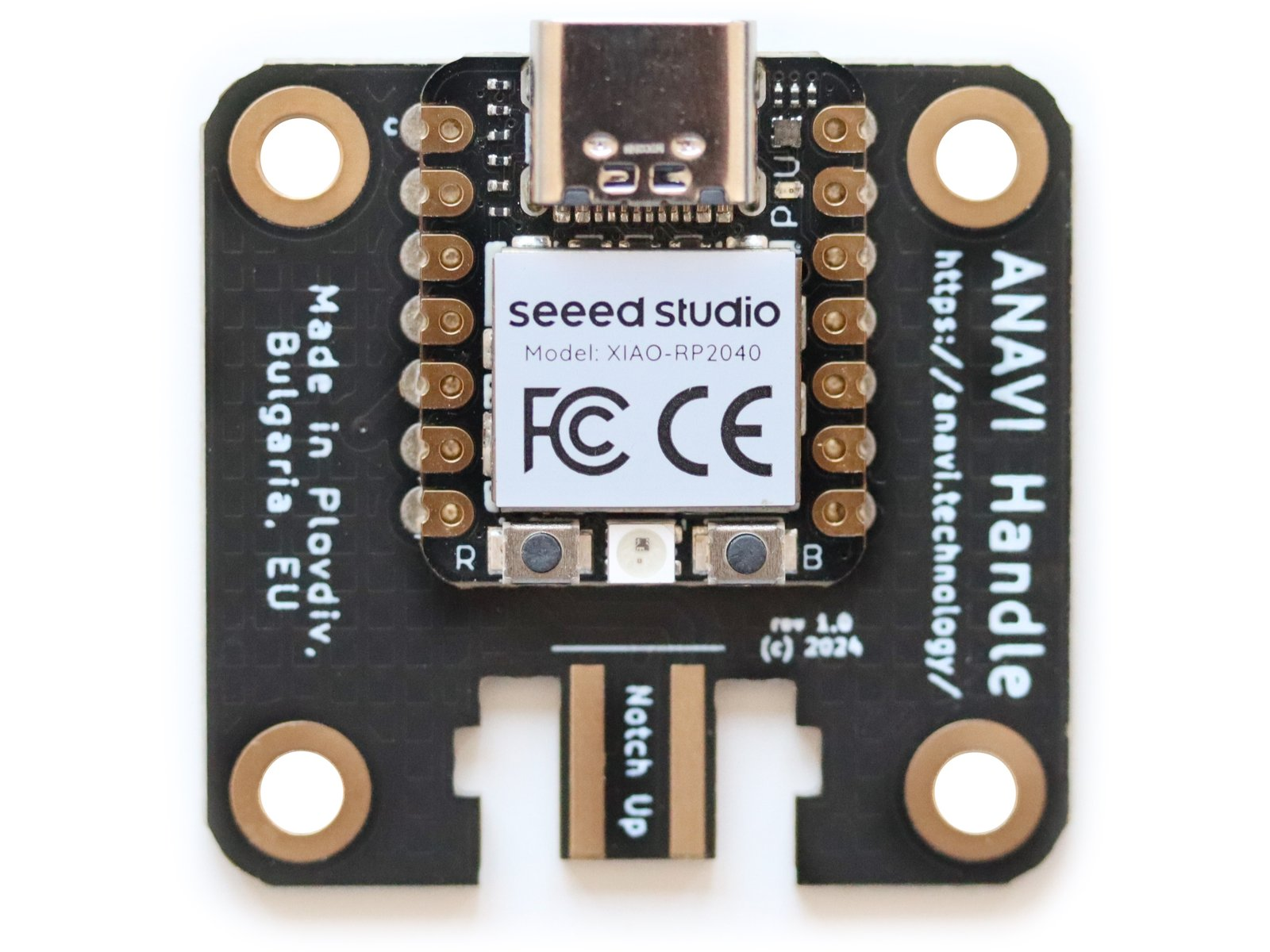
ANAVI Handle makes it easy to connect a Wii Nunchuk-compatible controller to any computer with USB. It is powered by Seeed Studio’s XIAO RP2040 module, featuring a Raspberry Pi RP2040 microcontroller and a built-in USB Type-C connector.
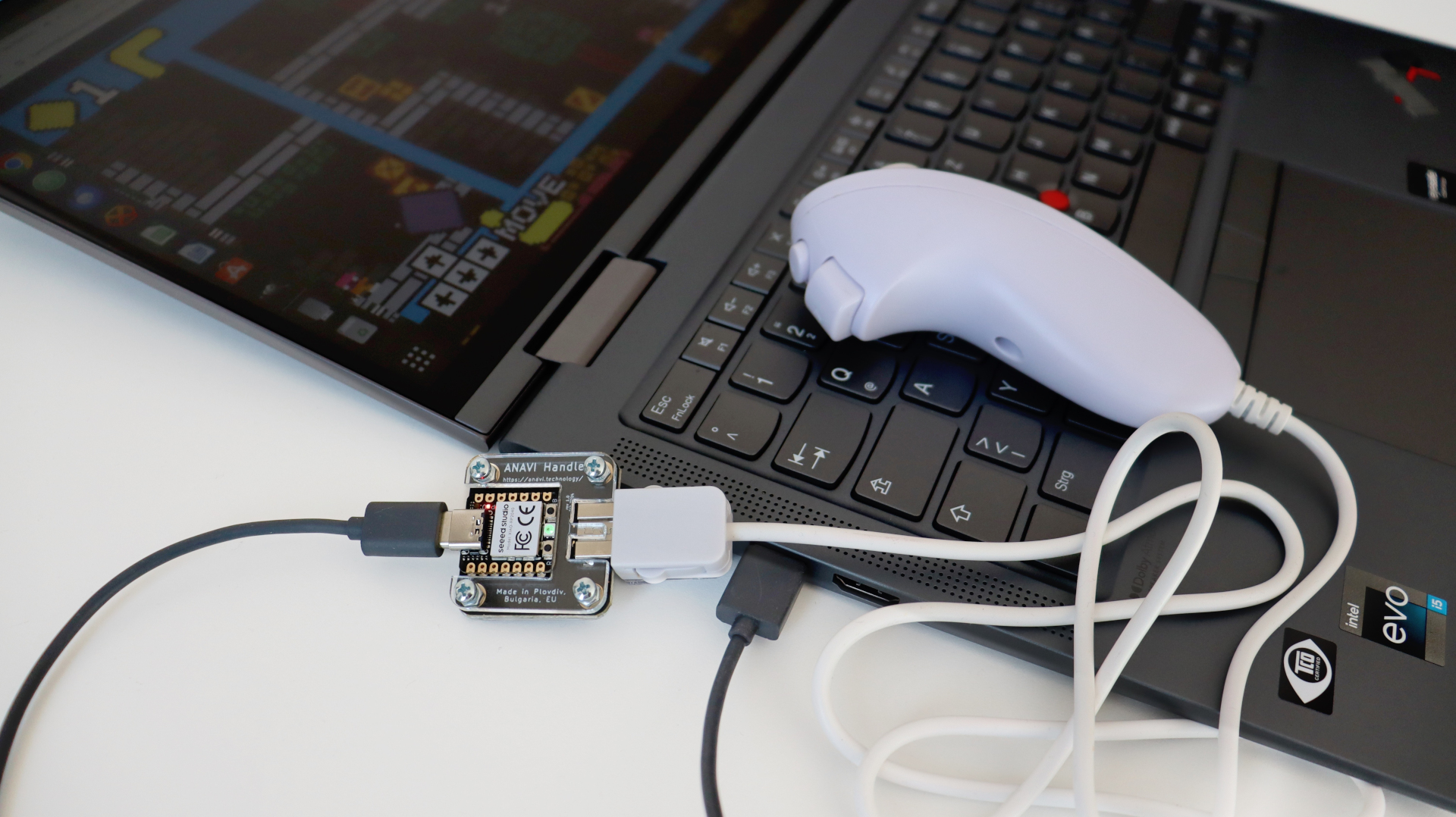
The open-source firmware, developed in CircuitPython, provides flexible customization options for easily turning a Wii Nunchuk-compatible controller into a Human Interface Device (HID), such as a joystick, mouse, or keyboard. With ANAVI Handle, retro gaming enthusiasts can enhance their setups by blending classic controllers with the versatility of open-source hardware.
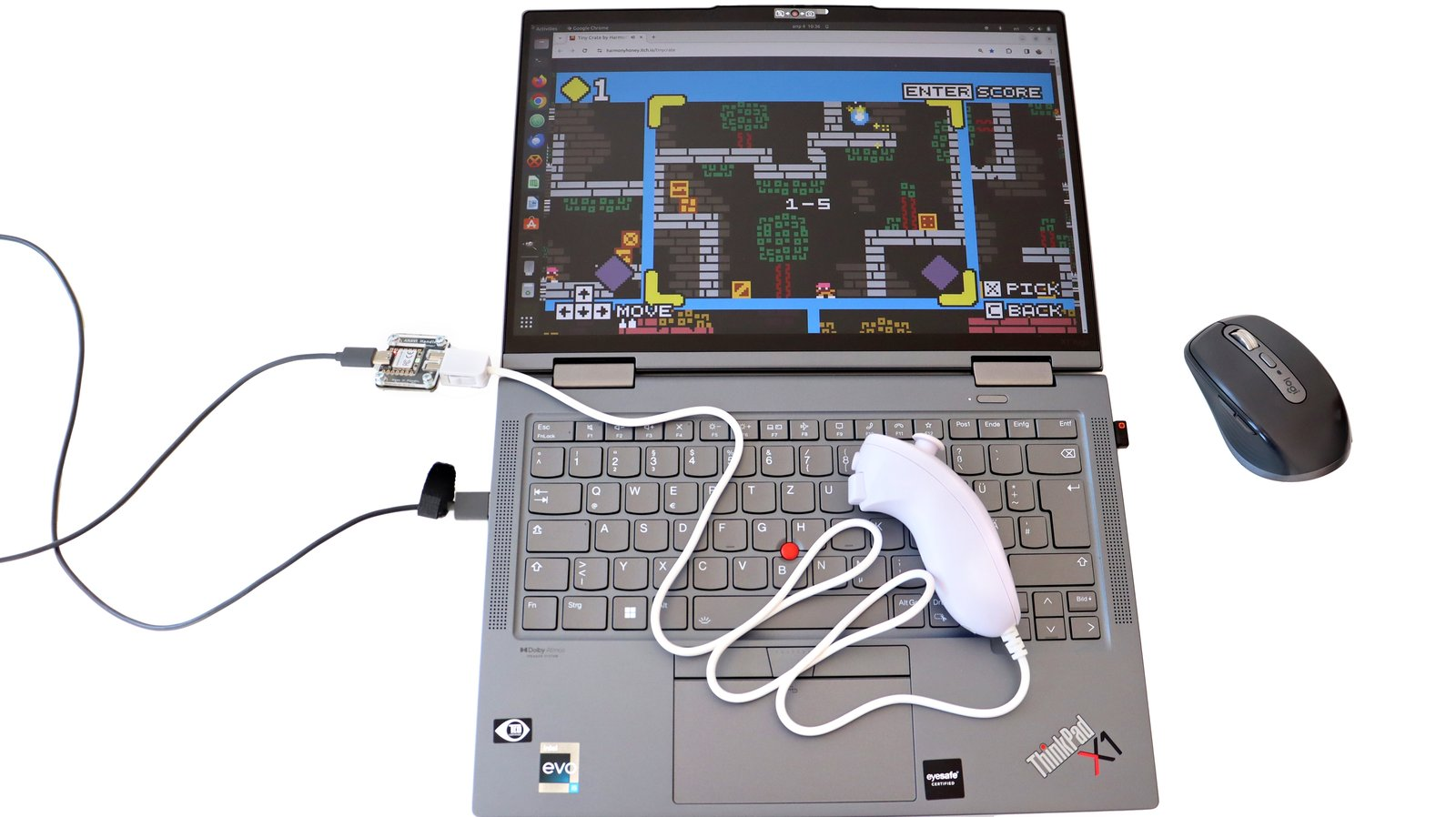
The Nintendo Wii Nunchuk, originally created as a console accessory, has gained a new role as a flexible input device beyond its original use. By connecting the Nunchuk to a computer through ANAVI Handle and a suitable USB cable, enthusiasts can open up new possibilities for retro gaming, enjoying both classic and modern games with the feel of a vintage controller.
Beyond gaming, the Nunchuk’s ergonomic shape and intuitive button layout make it well suited for DIY projects, from home automation to controlling motors, robots, or drones. ANAVI Handle connects nostalgic gaming with creative DIY applications, delivering endless opportunities for experimentation and innovation in technology and gaming.
Technical Specifications
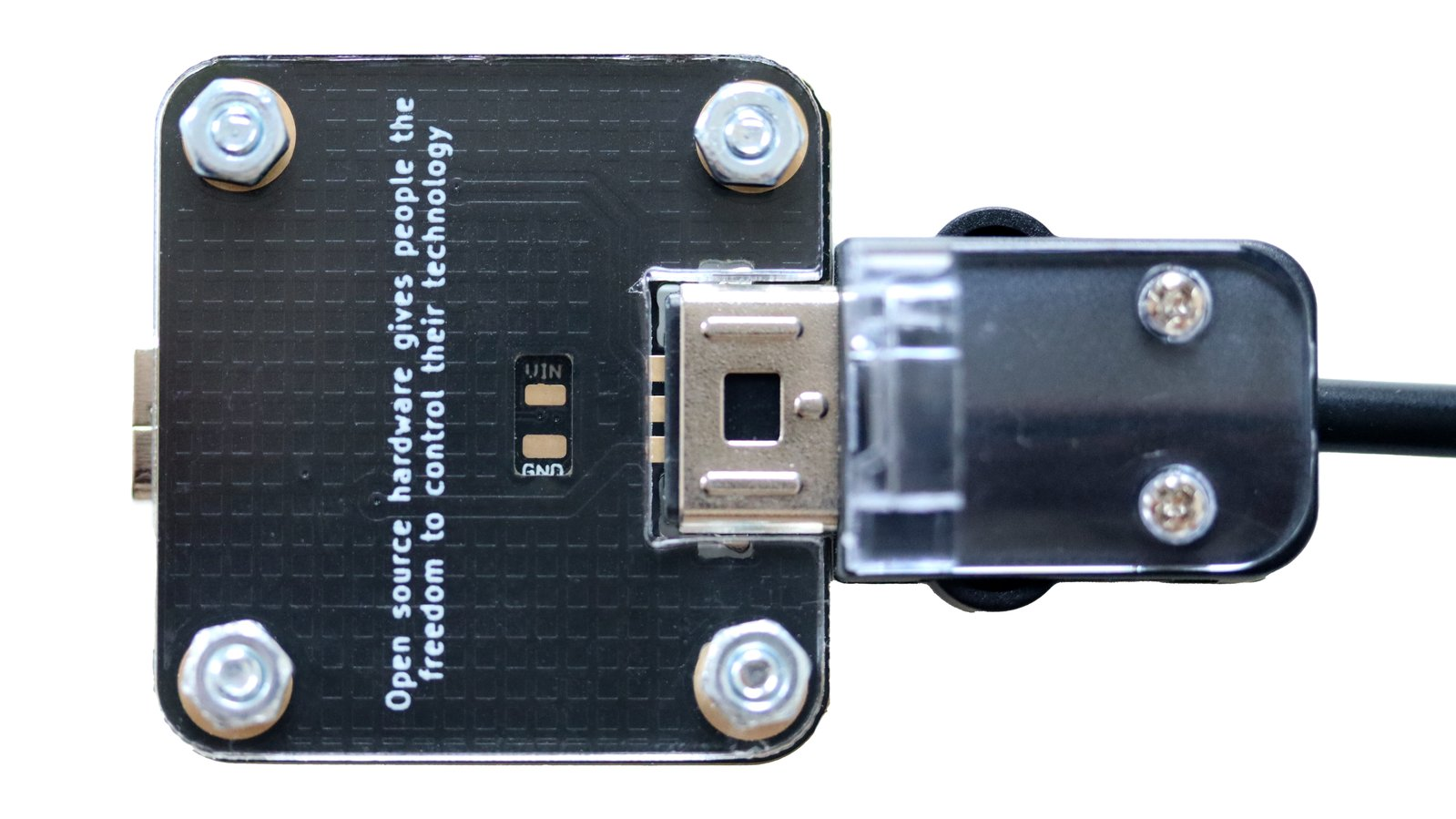
ANAVI Handle boasts a compact design with a black, gold-plated printed circuit board with the cutting-edge Seeed Studio XIAO RP2040 module. Here are the technical specifications:
- MCU: Raspberry Pi RP2040
- Connectivity: USB-C
- Firmware: open-source based on CircuitPython
- Compatibility: Windows, macOS, and Linux support
- Dimensions: 35.0 mm x 33.3 mm (1.38 x 1.31 inches)
Open Source
ANAVI Handle is a fully open-source project that brings together open-source hardware and free, open-source software. Both the printed circuit board and the acrylic enclosure were designed using KiCad, an open-source electronic design automation (EDA) suite available for Windows, macOS, and GNU/Linux.
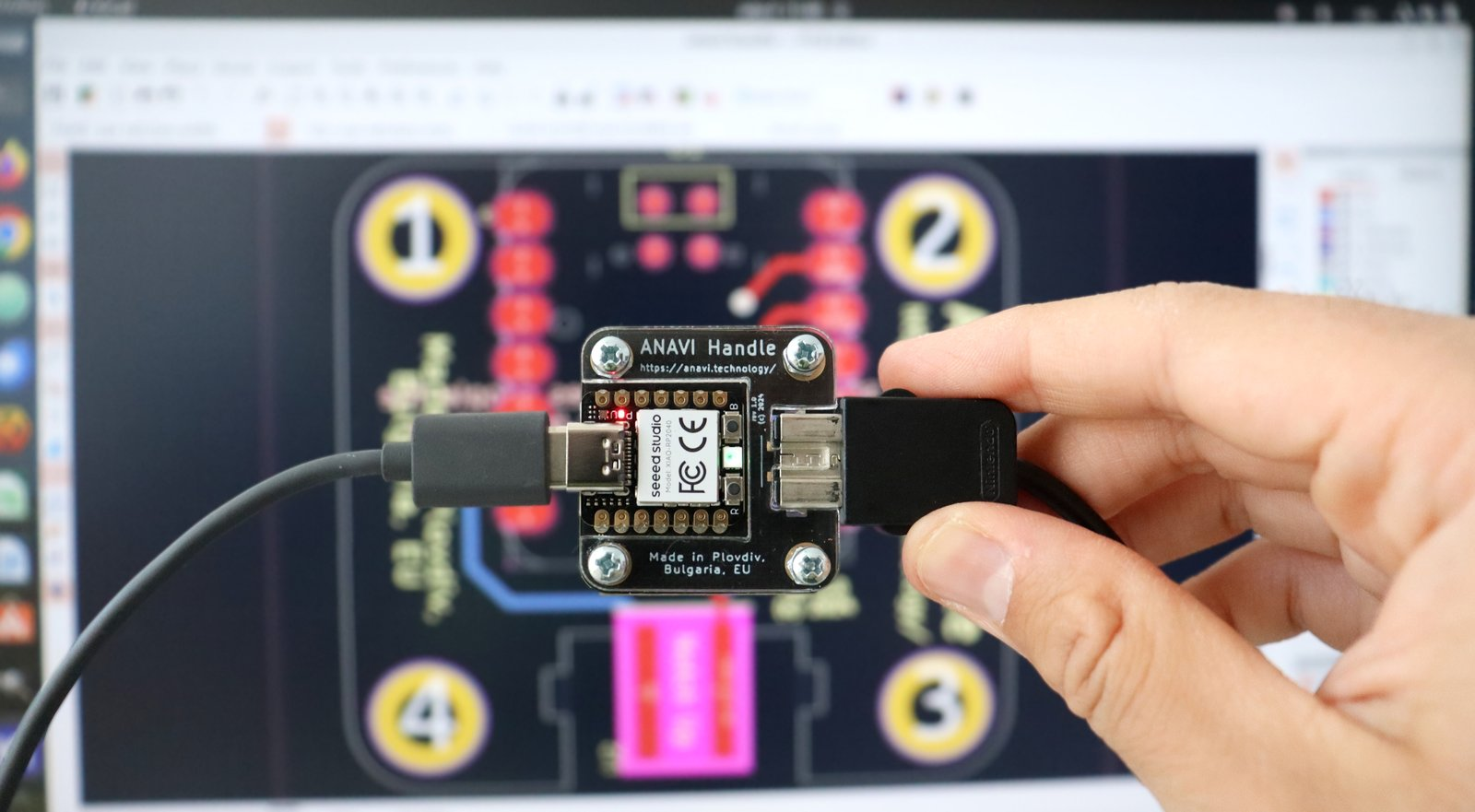
The open-source firmware includes support for detecting whether a controller is connected to ANAVI Handle. An onboard RGB LED provides clear visual feedback through three distinct states:
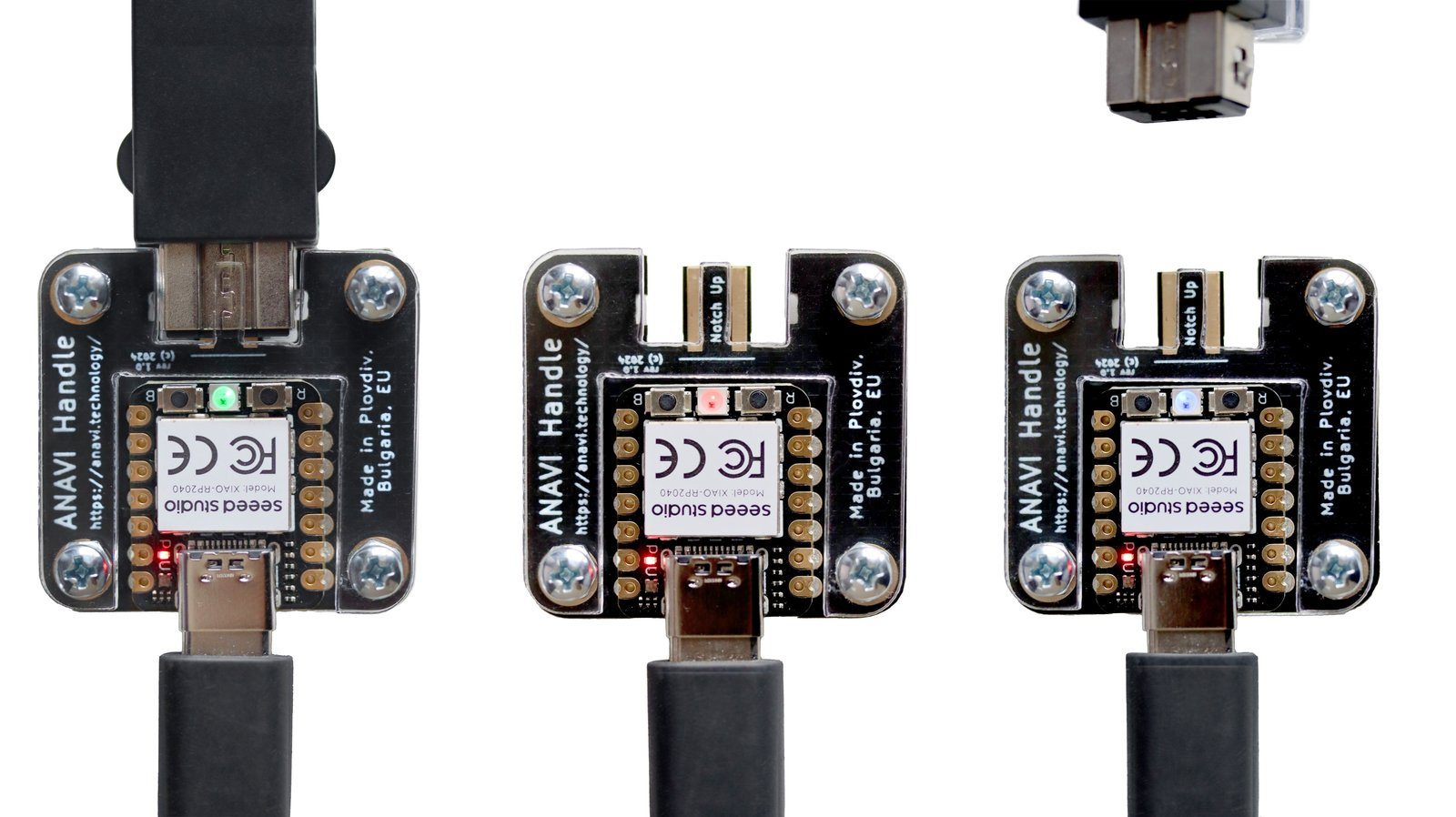
- Green indicates that a Nunchuk controller is properly connected.
- Blue shows that the Nunchuk controller has been disconnected from ANAVI Handle.
- Red warns that the Nunchuk controller is missing or not correctly connected.
CircuitPython Support
The firmware is written in CircuitPython and relies on the popular open-source libraries adafruitbusdevice, adafruithid, adafruitnunchuk, adafruit_seesaw, and neopixel. CircuitPython is a programming language based on Python, specifically designed for use with microcontrollers like Raspberry Pi RP2040 in ANAVI Handle, making it easy to program and interact with hardware components.
Source code for the hardware and firmware are available on GitHub.
All ANAVI Handle units will come pre-installed with CircuitPython and our open source firmware available at GPLv3 license. If you need to pre-install or update dependencies, ensure you have circup installed in your Python environment. Install it with the following command if necessary:
pip3 install circup
With circup installed and your CircuitPython device connected, use the following command to install:
circup install adafruit_bus_device adafruit_hid adafruit_nunchuk adafruit_seesaw neopixel
Or the following command to update an existing version:
circup update
Currently, the open-source firmware enables the use of the Nunchuck in three modes: joystick, mouse, or keyboard (D-pad, A and B keys). Future updates may include support for additional devices like the Classic Controller. To modify the functionality of the Nunchuck, simply edit the JSON settings file, config.json, for example:
Joystick
{
    "type": "joystick"
}
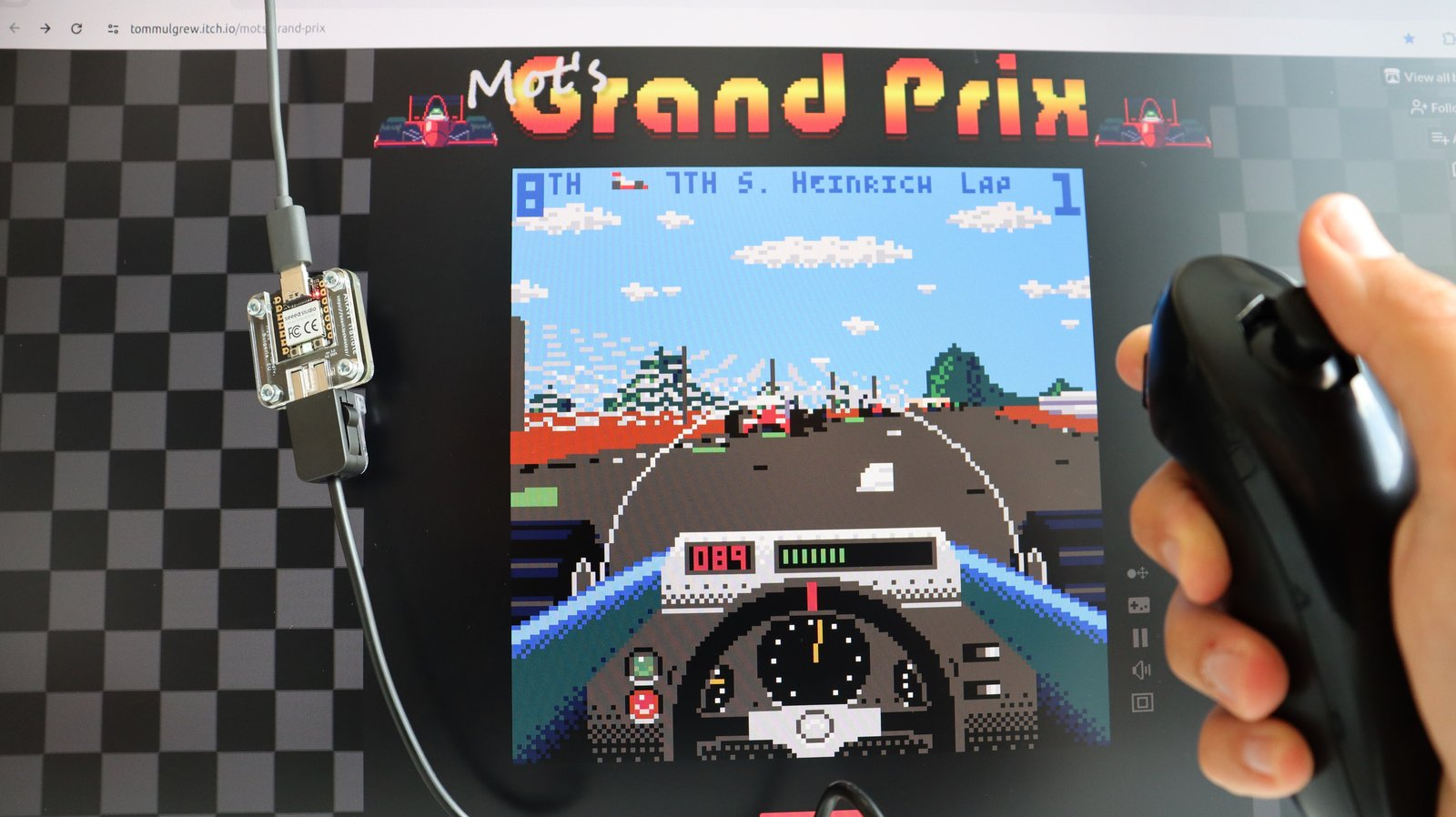
The joystick mode of ANAVI Handle enables seamless enjoyment of modern and classic game titles using the Nunchuk on any USB-equipped computer. This configuration ensures that your Nunchuk controller is readily detected, even by web browsers. To experience this functionality firsthand, you can effortlessly test it using the open-source HTML5 Gamepad Test.
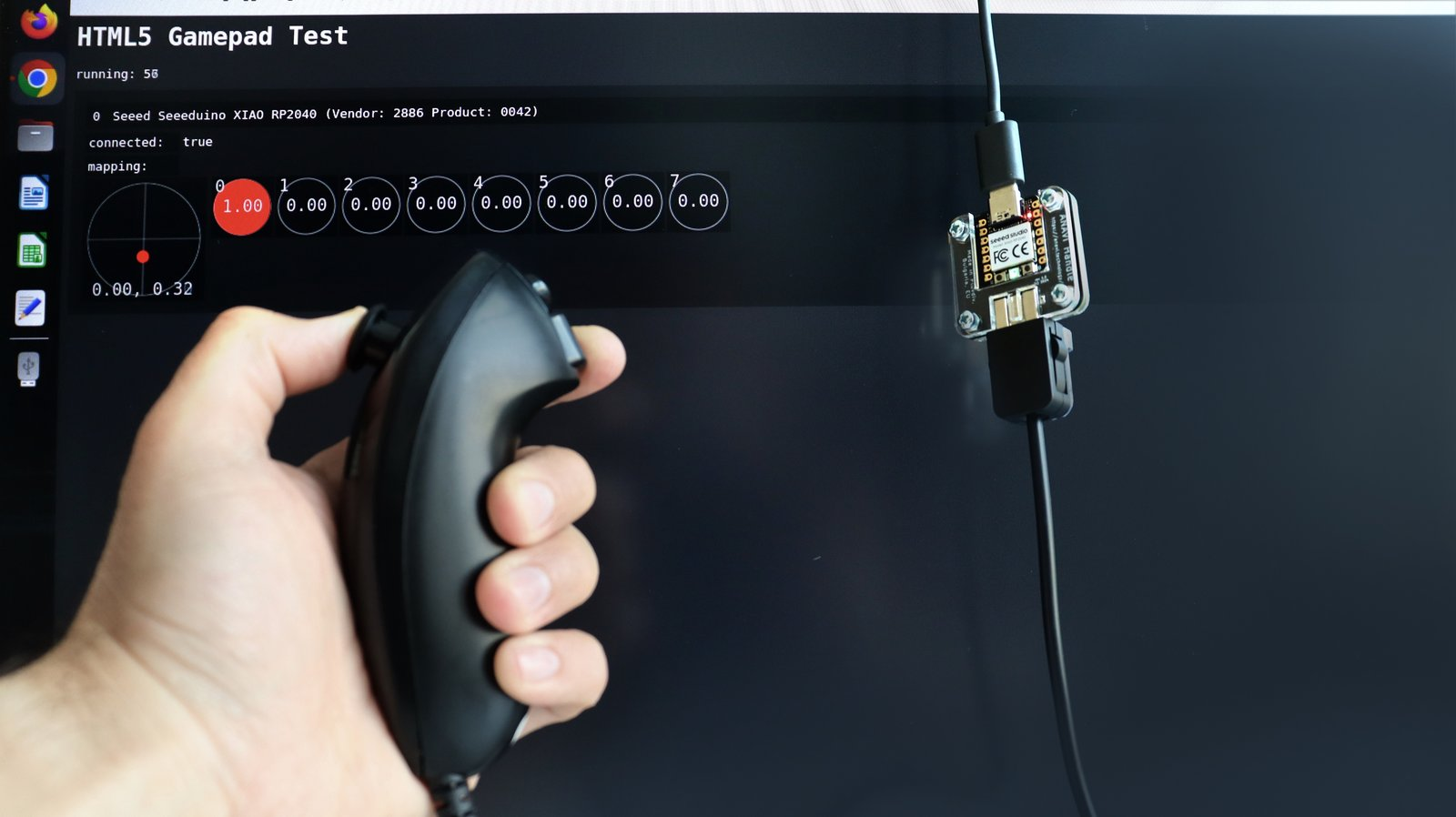
Furthermore, you can delve into a plethora of fantastic games, such as the open-source Tiny Crate game developed with the open-source game engine Godot, directly within your web browser!
Mouse
{
    "type": "mouse"
}
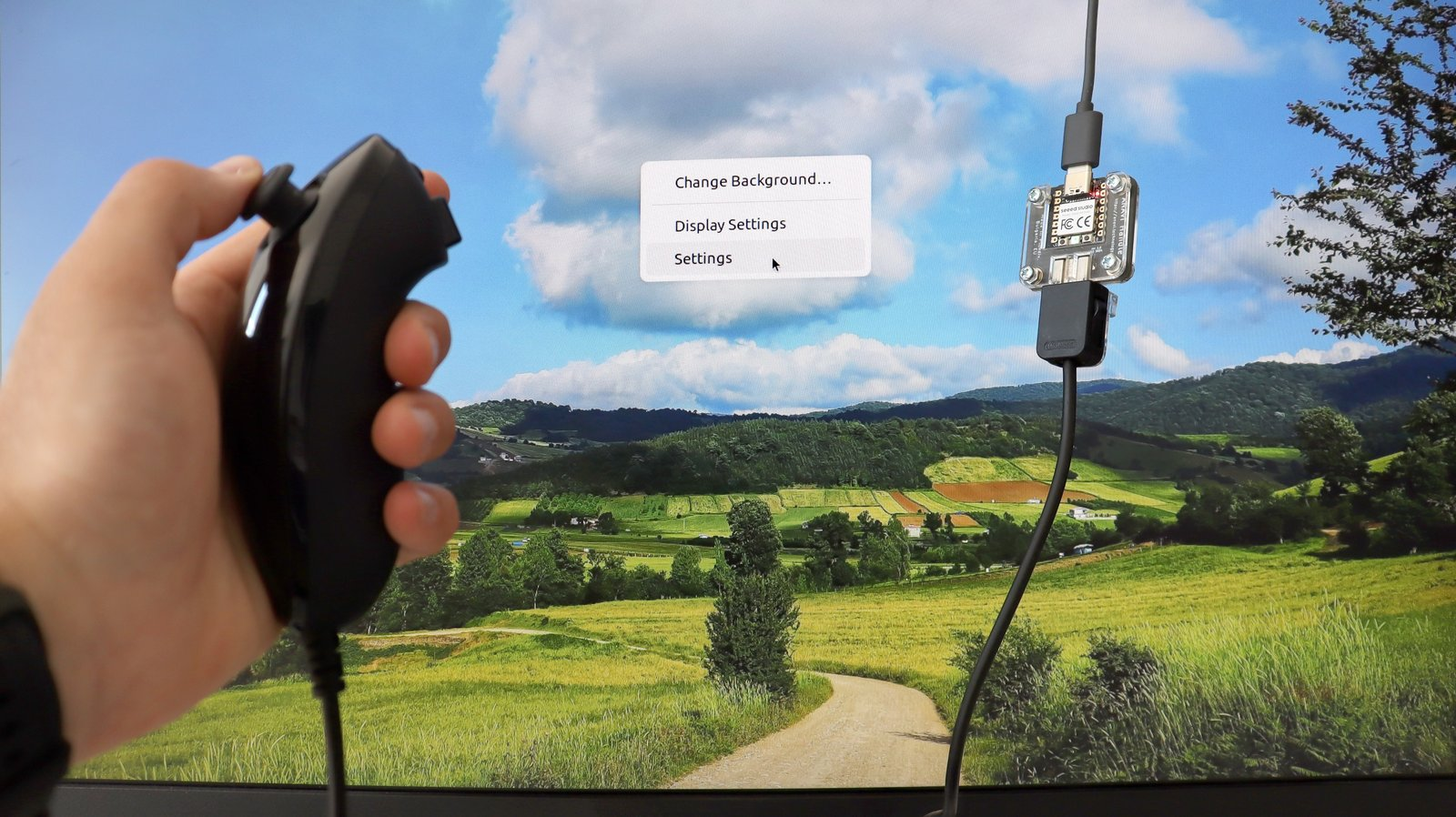
This feature within the ANAVI Handle open-source firmware enables the utilization of the Nunchuk as a computer mouse. Navigate the cursor using the Nunchuk joystick, while the two buttons are left and right mouse buttons. While not inherently designed for everyday functionality, this mode offers a unique and enjoyable experience suitable for specific use cases.
Keyboard
{
    "type": "keyboard"
}
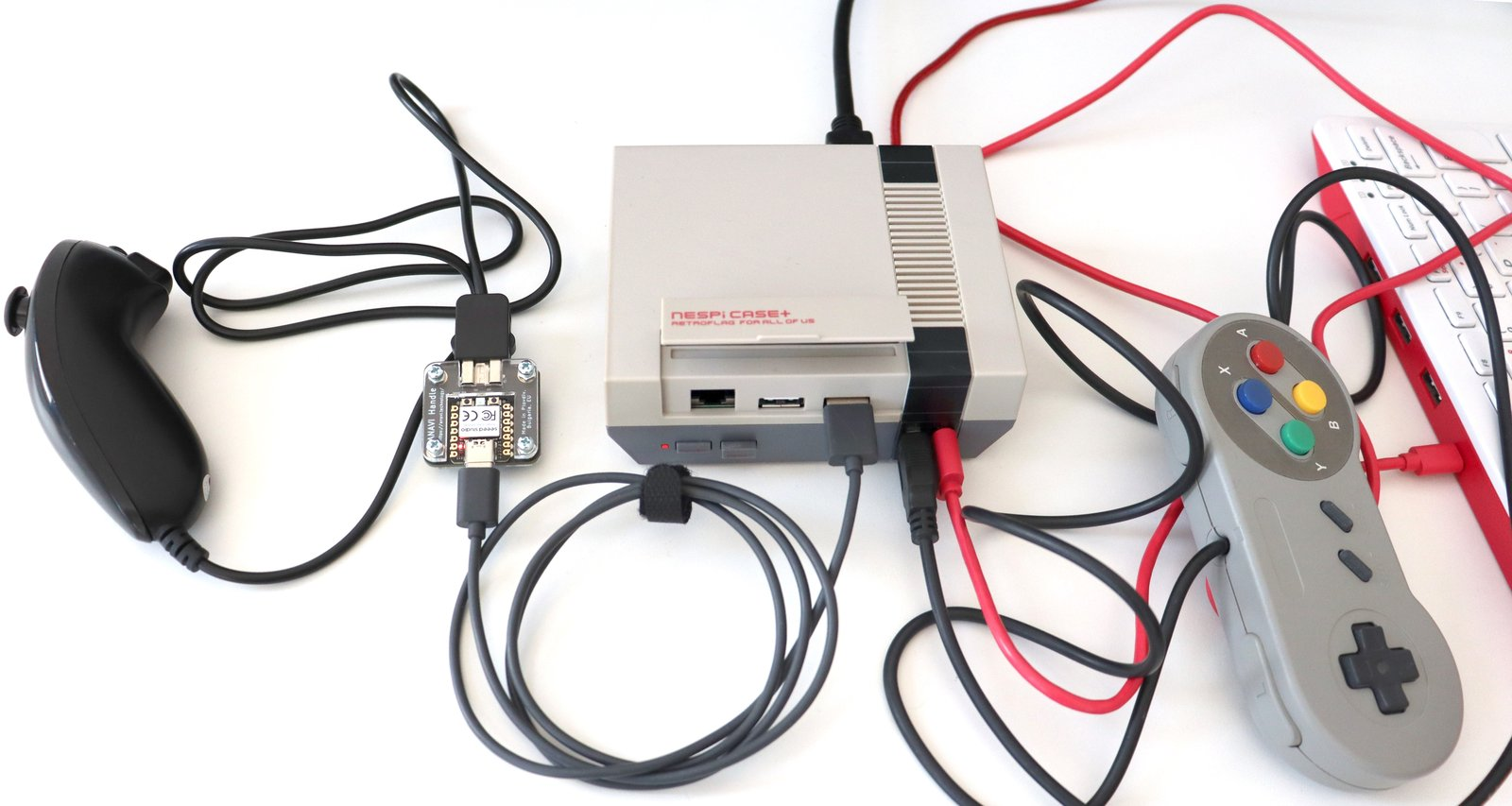
The keyboard mode of ANAVI Handle includes a D-pad (directional pad), along with A and B keys. This configuration proves ideal for retro gaming, especially when paired with RetroPie, a renowned Linux distribution featuring EmulationStation, RetroArch, and various other open-source software projects. With this setup, you can effortlessly enjoy a wide array of arcade, home console, and classic PC games on platforms such as Raspberry Pi, single-board computers, or even a PC.
Links to code and documentation
Certified Open Source Hardware - OSHW BG000134
Shipping policy
No information available.
The seller

Combining open source hardware with open source software in Plovdiv, Bulgaria